CyberTeam India Internship CTF
Web and Forensics
This is my first write-up and third CTF ever
This CTF was a bit weird (no crypto , 50% forensics, WTF!) also the challenges were short but some of them needed out of the box thinking (at least for me).
FILE FOUND — 50
This challenge is actually the easiest one I have encountered (maybe for forensics only)
We have file that looks like a java compiled class, I will check it anyway with command file .
So, now the basic approach will be reading its content to get some hints or flag maybe. You can do this by using either cat or strings, I have used strings which give us the following result.

This is encrypted using caesar cipher.
FLAG{FORENSICS_101}
Help Ann — 100
By using the command file, I get to know that this is a png file, but I am unable to open it.
So, I opened the file using hexeditor to check the header

It looks like header is broken/corrupted so I replaced it with the png header
or magic number i.e, 89 50 4e 47 0d 0a 1a 0a
Now, we got an image that is a QR code. So I scanned it on this website and I got the flag.
Flag{Aw3s0m3-Y0u-G0t-th1s}
Just Smile — 100
We have an image, so I looked at its content by using strings

It looks like this file contain extra chunk of data after the png ends (IEND)
So, we will try to extract it using binwalk

binwalk — d=’.*” smile.png -e
This gives us an ELF file. I tried to execute it using gdb but it ask for a password.
By reading the content of the file I got a string This_Is_Not_the_Flag_but_Useful and yes this is the password.

FLAG{APPENEDING_FILES_REALLY!!}
Light — 50
Again we got an image, so as usual I tried reading its content and got something in the end

This is in binary so I hopped here and quickly got the flag. This was easy, right?
Flag{So-L!gHt}
Wanna some Biscuits — 50
The challenge name clearly suggests for Cookie, so I intercepted the request and sent it to repeater

This looks like it is encoded in base 64, so I decoded and got this
O:4:”User”:2:{s:8:”userName”;s:9:”anonymous”;s:7:”isAdmin”;b:0;}
This looks like unserialized data of php. After changing it for admin and changing isAdmin value to 1. [ Also s:9 represents the character length of anonymous ] Resultant will look like
O:4:”User”:2:{s:8:”userName”;s:5:”admin”;s:7:”isAdmin”;b:1;}
I encoded this in base64 and replaced the original cookie and got this response:

FLAG{REALLY!!_IN_COOKIES}
request Gate — 50
Again from challenge name this looks like it is about HTTP requests
So I intercepted the request, forwarded it and got this response

As obvious I changed the method to PUT but it still throws Error 405 with message Not Allowed. After unsuccessful multiple attempts I thought of accessing the php page that can handle the PUT request in the same directory. So I made a PUT request to http://35.197.254.240/request-gate/index.php and Voila!

M3th0ds!sN0t0nlyG3T0rP0ST
Curl can be the easy way to this
curl -X PUT ‘http://35.197.254.240/request-gate/index.php'
Yellow Duck — 100
In this challenge we have URL that contains the .png file but cannot see it online or download so I used Curl, you can also use wget
This file looks like it is base64 encoded

By resemblance of ‘+’ and ‘/’ between strings and default extension, I thought this might be an image encoded in base64, so i decoded this from here and got a file
Its content doesn’t make any sense to me. So I decided to check hex values of its header

Notice the header, it is similar to the png header so I thought this might be encrypted. I read few write-ups and came to know that it is XORED.
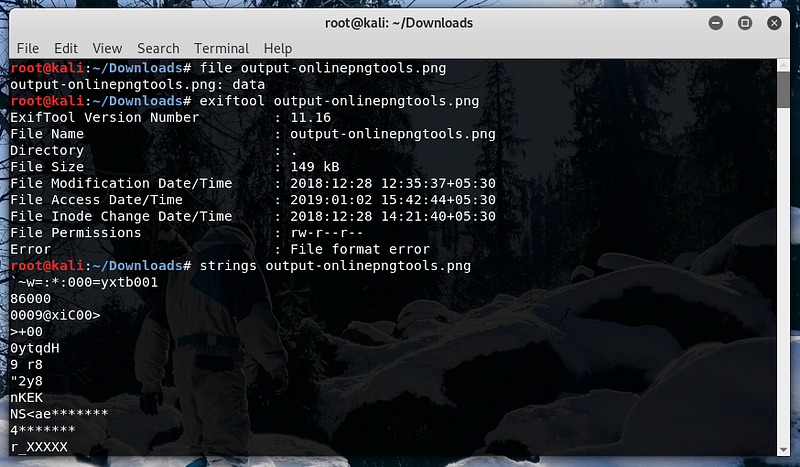
I used xortool to decrypt it , here most frequent character is \00x

If you dont know the possible char you can use xortool -b output-onlinepngtools.png . It’ll test for all cases, and u need to check for flag for each output.
flag{Y0u_CatchIt_0100110120100}
Thank You
Suggestions are welcomed.
For more web based write-ups you can see this.